
Everything it does
Six capabilities: what each one does, and where each one stops. The limits matter more than the feature list.
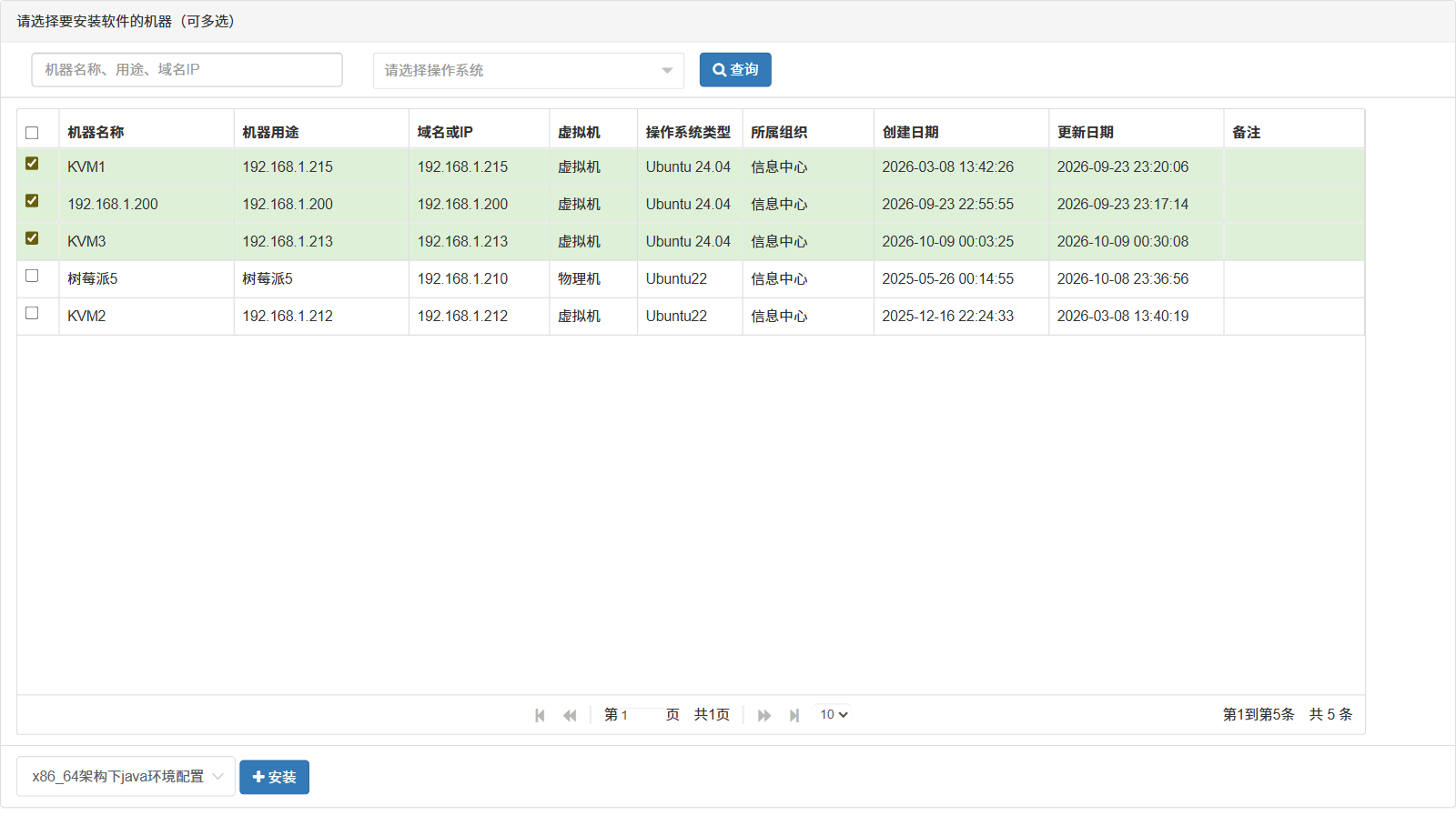
01Bulk install
Pick an application, tick a set of machines, and it starts. Each machine gets its own console printing its own output and exit code.
- A summary line keeps counting: completed, failed, elapsed
- One failing host does not stop the batch
- Concurrency is bounded by the server-side thread pool; larger batches queue instead of failing
02Applications and commands
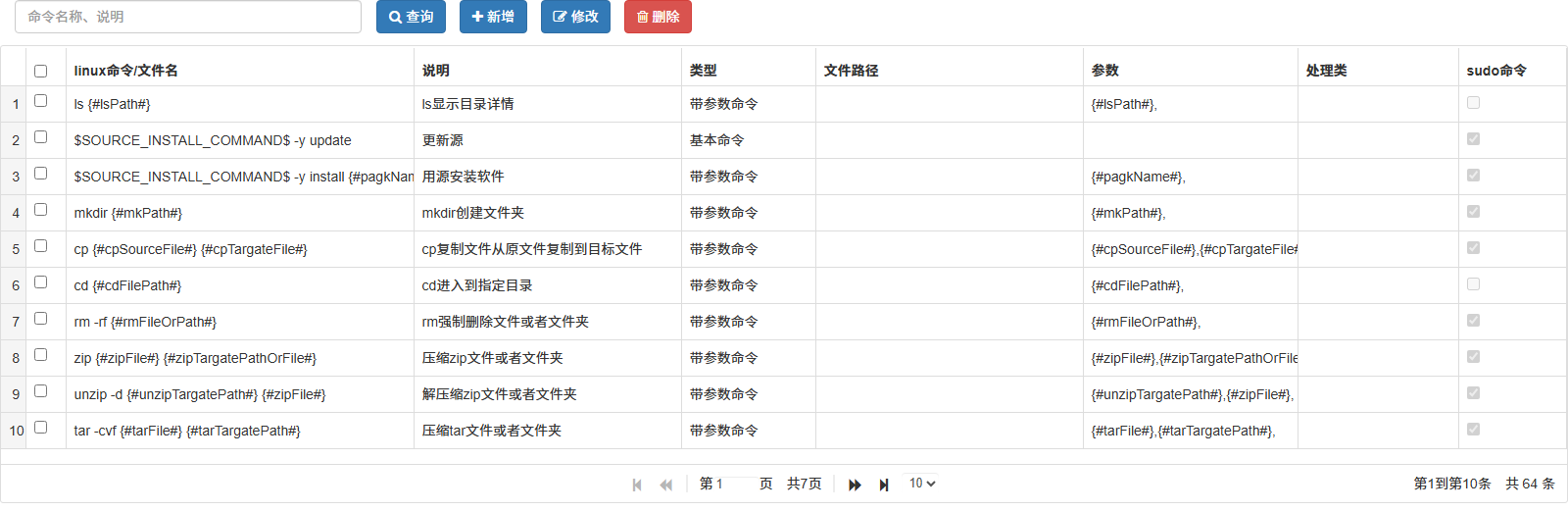
An application is a set of commands. Four types: returns when done, takes variable arguments, runs without returning, uploads a file. Commands are reusable across applications.
- Variables like $PACKAGE_INSTALL_COMMAND$ are substituted per target at run time
- Privileged commands run through sudo -S with the password on standard input, never on the command line
- A command marked "does not return" holds the channel until it exits or the connection closes
03Distribution aware
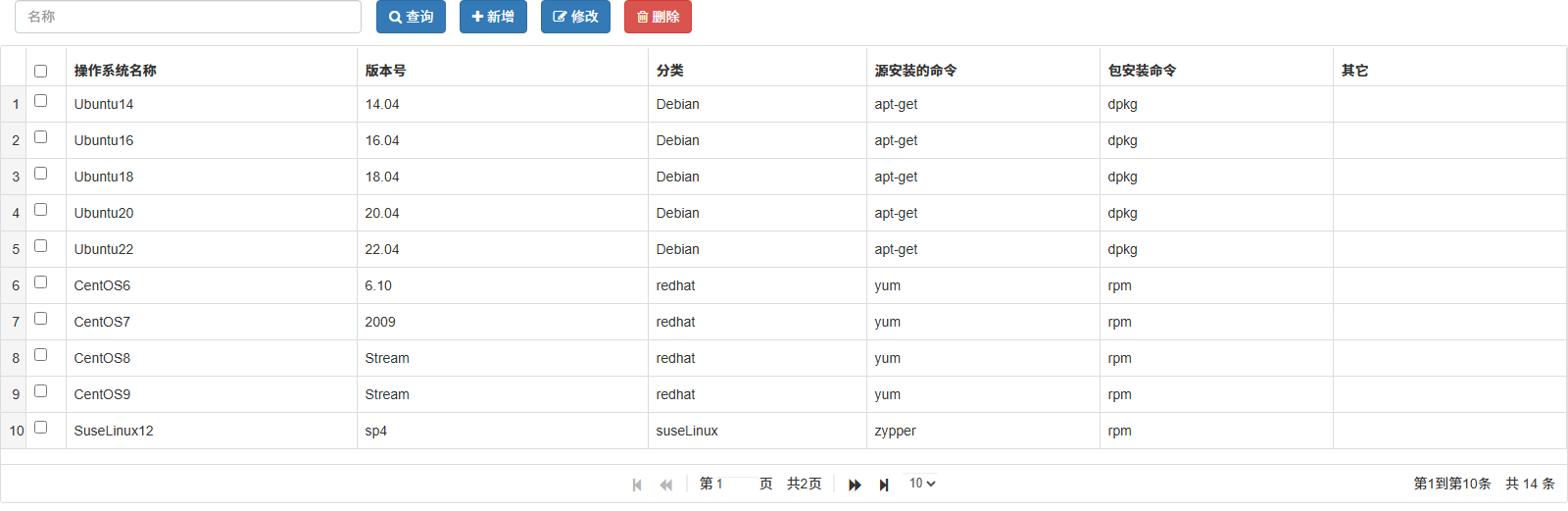
Every machine is one of five types: Debian, Red Hat, SUSE, Unix, other. Package and mirror commands are chosen per type.
- One application, different commands per target — no second copy to maintain
- Kylin and UOS are first-class types, not aliases for Red Hat
- Non-Linux Unix targets run commands and manage files, but not every install flow is verified there
04File manager
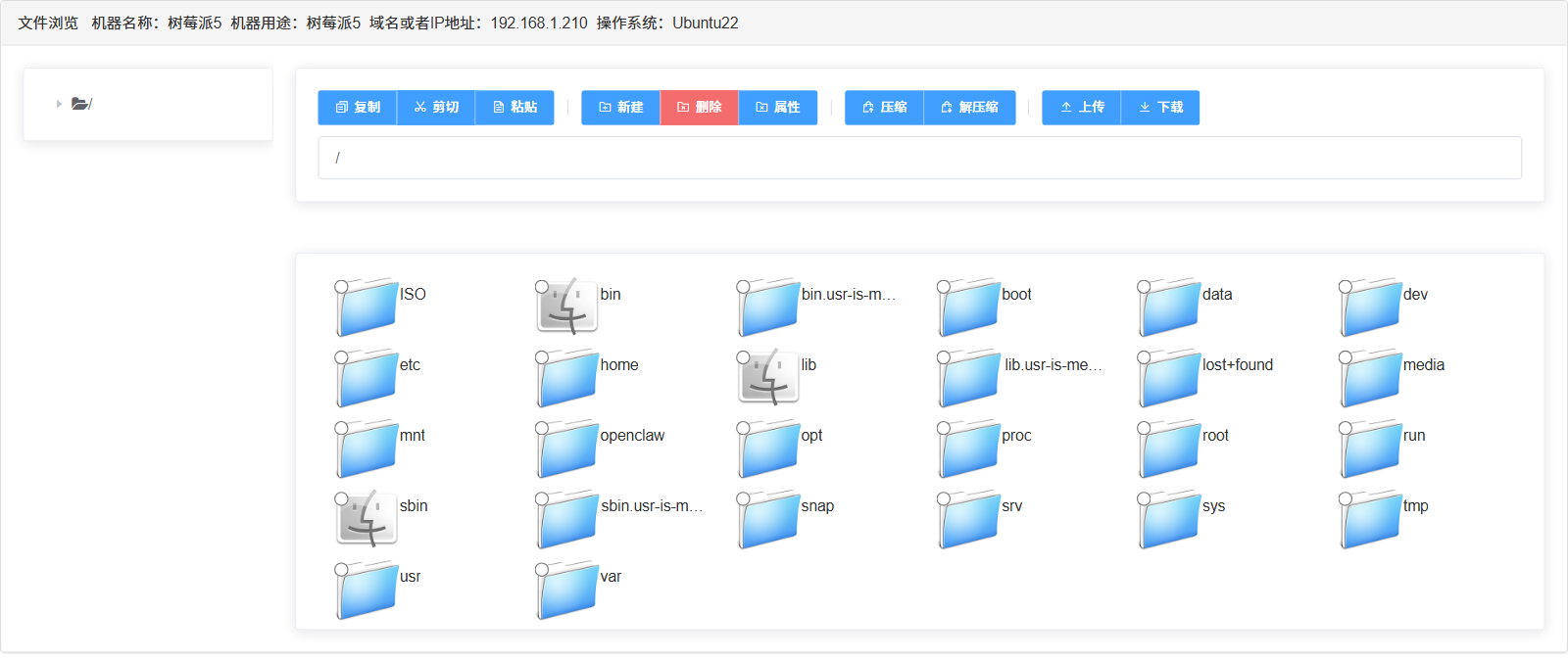
Two panes over the remote tree. Upload, download, cut, copy, paste, rename and delete without leaving the browser or opening an FTP client.
- Compress and decompress in place; inspect and change permissions
- ISOs land in a dedicated mirror directory, away from user folders
- No resume, no transfer compression: for very large files use rsync, then verify here
05Web terminal
A full interactive shell over WebSocket, using the same login credentials. No SSH clients, no key files to distribute.
- Closing the tab closes the connection — no idle sessions left behind
- One tab, one session; sessions do not share state
- History lives only in that session and is gone when it closes

06Audit trail
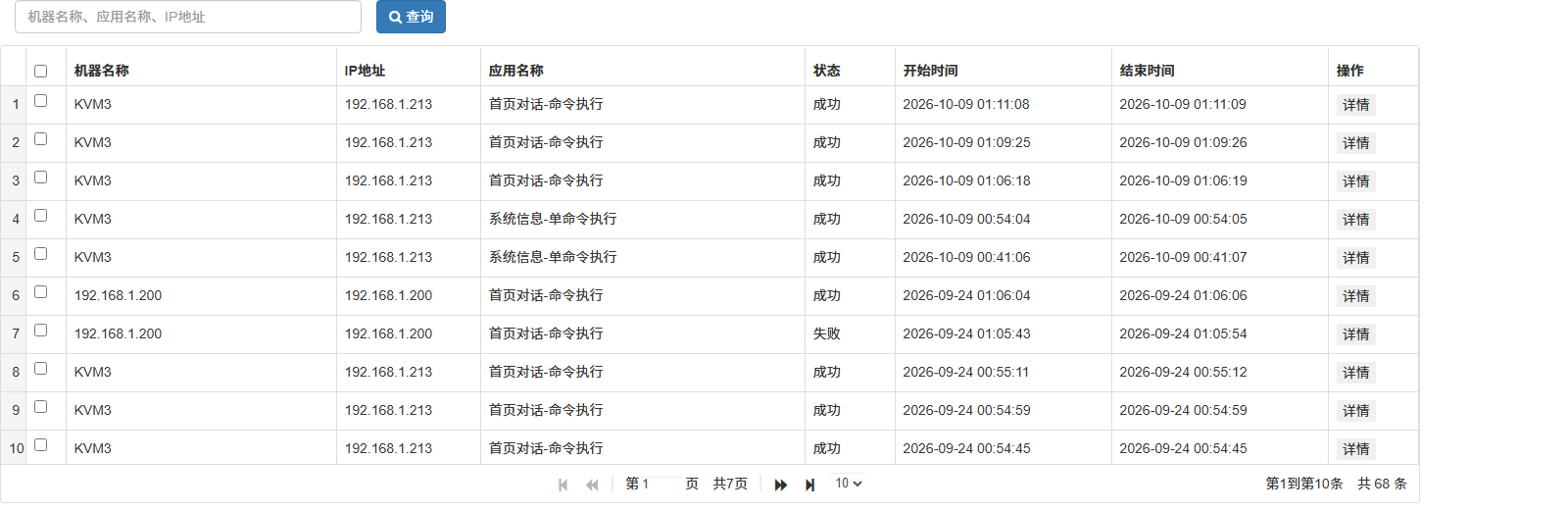
Each install writes one record: machine, application, operator, start time, exit code, full output. Searchable by machine, application, date and result.
- Credentials are encrypted at rest with a per-row salt and a server-side secret
- Who installed what, where, and when — answerable after the fact
- It is an audit trail, not a compliance certificate: retention is yours to define
The limits, stated up front
Better here than in a support thread at 2 a.m.
| Capability | Boundary |
|---|---|
| Bulk install | Concurrency is bounded by the server-side thread pool (20 by default). Larger batches queue instead of failing — a queued machine is not a stuck one. |
| Applications and commands | A command marked as non-returning keeps its channel open until it ends or the connection closes. Fine for interactive installers; wrong for daemons. |
| Distribution aware | Non-Linux Unix targets support command execution and file management, but not every install flow has been validated on them. |
| File manager | Speed follows the SSH channel. There is no resume and no transport compression — for very large files, use rsync and verify here. |
| Web terminal | One session per tab, per user. Sessions are not shared and the history exists only in that session. |
| Audit trail | It is an audit trail, not a compliance certificate. Retention, export and archival are yours to define. |
Reading is over — run it
No feature list beats clicking through it once. The demo package ships with sample machines and applications.